Approvals on WhatsApp
The piece is ready, the client doesn't reply, and nobody knows who asked for the last change or when.

Approvals with deadlines, team production, freelancer payments and the health of every client in one portal. We set it up on your domain, with your brand, on a dedicated instance hosted in the EU.

The piece is ready, the client doesn't reply, and nobody knows who asked for the last change or when.
Tasks in one tool, files in another, and freelancer payments in a spreadsheet only one person understands.
They reply later, log in less, overdue work piles up… and you find out once they've already decided to leave.
Marketing and content agencies with several clients at once. Two honest lists, so you don't request a demo that won't help you.
Eight things that happen when approvals go through chat and production lives in a dozen sheets. Tick the ones that happened to you this month and, depending on how many, we tell you where to start. As you tick each one you'll see what happens in the portal. Nothing is saved.
Tick the ones that happened to you and we tell you where to start.
Somewhere between the two lists? That's what the 20-minute call is for: we tell you whether it fits before showing you anything. Request a demo
Your client opens the portal and sees what's pending. They approve or ask for changes on the piece itself, and it's recorded with their name and the date.
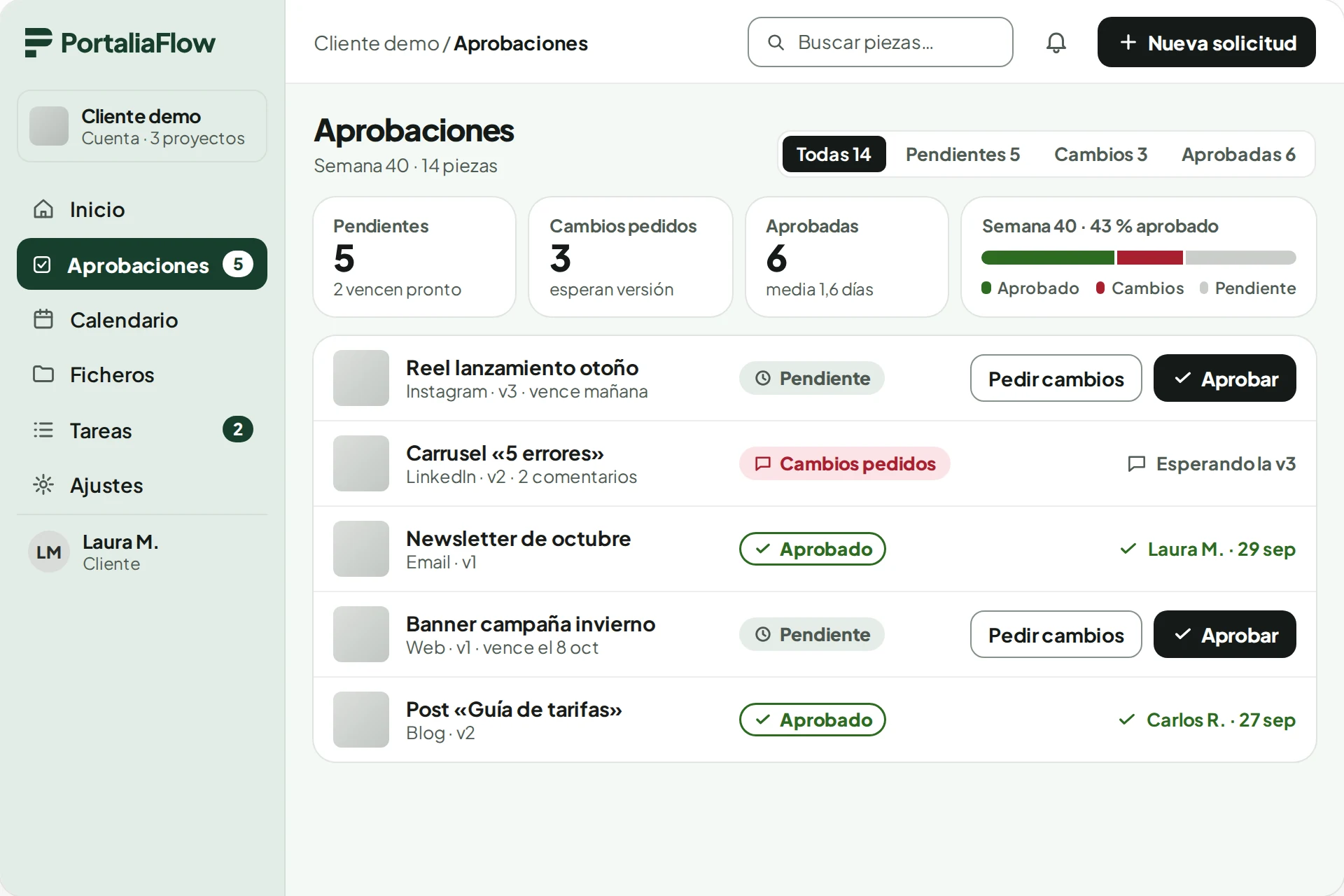
Illustrative mock-up with fictional data, shown in Spanish. The portal is available in English for every user.
Nothing changes in how you work with your clients: what changes is where things get decided and what gets recorded. An honest comparison with email, chat and shared folders.
| Situation | Today, by email and chat | With PortaliaFlow |
|---|---|---|
| Approving a piece | An “ok” in a chat or an email thread you'll have to dig up later. | A button on the piece itself. It records who approved, which version and when. |
| Requesting changes | “Change that bit” in a voice note. Nobody knows if it's round three or round five. | Requesting changes requires a note. Every round is numbered and every delivery is a version. |
| The client doesn't reply | Someone on the team chases them, careful not to wear them out. | Three automatic reminders from your sender. If they still don't reply, it alerts the account manager and you. |
| “What are you doing for us this month?” | A sheet or a deck that's out of date by the next day. | The month's calendar and what's planned for the next 30 days, in their portal. Plus a summary every Monday by email. |
| Delivering files | Links to shared folders that get moved, expire or are shared too widely. | A library per client. Each one downloads only what's in their space, with temporary, signed links. |
| Knowing when a client is going quiet | Gut feeling. You find out once they've already decided to leave. | A health score from 0 to 100 per client, with its trend: response to approvals, activity, NPS and overdue work. |
| Paying freelancers | A spreadsheet at month end and “did I pay you for this?” messages. | The cost is created with the piece and becomes payable when it's completed. Amounts due per person, approve and mark as paid. |
What doesn't change: you keep talking to your clients wherever you like. The portal doesn't replace the relationship; it writes down what gets decided. And it doesn't publish to social networks or invoice your clients.
What each of them sees when they log in. Everything described here is in production; nothing is “coming soon”.
You see where every client stands without asking anyone.
You open the dashboard: each client's health, pending approvals, active clients and activity over the last 7, 30 or 90 days.
“My turn” lists the pieces that have passed internal review and are waiting for your approval. Nobody approves their own piece: the last pair of eyes is yours or the manager's.
A piece has gone days without a reply from the client. The portal has already reminded them and, once the reminders run out, it alerts you and the account manager.
Every completed piece already has its cost and its person. You see what you owe each freelancer, approve it and mark it paid.
The agency's weekly summary lands in your inbox. The report shows how long each client takes to approve, and every number opens the tasks behind it.
What only you see: rates, salaries, finances, the report and the email and brand settings.
Your full journeyTry it: this is what the portal does when your client doesn't replyEveryone knows what's on their plate today and where each piece is, without asking in the group chat.
You open your tasks with the “My turn” filter: only the steps that depend on you, as a list or a kanban board.
You upload the new version of the reel and mark your step as “Done”. The piece moves on to the next person by itself.
A question about the copy: you @mention the manager in the task's conversation. That thread never reaches the client.
A piece comes back with numbered corrections. You know what to change and which round you're on; no voice note to hunt for.
If you're a freelancer, the piece's cost is created under your name and becomes payable when it's completed. Nothing to claim.
What an editor doesn't see: rates, salaries or the agency's finances.
Your team's full journeyTry it: this is how a piece moves through your teamThey log in to your portal, see only their own work and decide on the piece itself.
“Ready for your approval”, with your agency as the sender and in their language. They log in at clients.youragency.com, with your logo.
They see the piece, its versions and the comments. They approve, or request changes by writing what to change. It's recorded with their name and the date.
On their home page: what's pending, the month's calendar, what's planned for the next 30 days and the files you've shared.
The portal reminds them for you. Nobody on your team has to write to them.
They get a summary of their space by email. And in the portal they can rate, from 0 to 10, how the service is going.
What they don't see: other clients, internal tasks, costs or your team's conversations.
Your client's full journeyTry it: this is how your client approvesEverything on this list works today at a real agency. No “coming soon” modules.
Your client logs in on your domain, with your logo, and sees only their own work: no other clients, no internal tasks, no costs.
Every piece has its deadline, its versions and its history of revisions.
Each piece follows its client's workflow: production, review, approval, publication. Every step has an owner and a “Done”.
Tasks as a list or a kanban board, grouped by person, with clear statuses from draft to completed.
One month per client, with every piece on its day and channel, from draft to published.
Each client's files in their own space, with temporary, signed download links.
Production finances, without spreadsheets.
A score from 0 to 100 per client, with its trend, so you can see who is going quiet.
Average approval time, approval rate, pipeline and overdue work. And every email goes out under your agency's name.
Every answer rests on a feature that is already in production. If something isn't, we say so.
Every approval is stored with a name, a date and a version. If they asked for changes, they had to write a note: there is no ambiguous “ok”.
Approval and version logTry it: this is how your client approvesThey get an email from your sender with a link to the piece, on your domain and with your logo. Two buttons: approve or request changes. It works on a phone and, if they don't reply, the portal reminds them for you.
Branded portal and remindersTry it: this is what the portal does when your client doesn't replyRequesting changes requires a note, every round is numbered and every delivery is a version. You can see how many rounds a piece has had and who asked for them.
Revision historyTry it: this is how a piece moves through your teamIn their portal they see the month's calendar, what's planned for the next 30 days, the shared files and their health score. And every Monday they get a summary of their space by email.
Client portal and weekly summaryHow to tell them every month, with or without a portalThere's nothing to import. You create a space per client, invite their people and start with the next piece. Most agencies start with one or two clients and add the rest.
Access by invitation, one space per clientWhat getting started looks likeA dedicated instance for your agency in the EU: your own server, database and files, encrypted, with daily backups and an access log. You don't share a database with anyone.
Dedicated instance in the EUSee the security and data sheetChecklists and templates to copy. They work with any tool, including email and chat. No sign-up, no form.
The portal wears your brand. PortaliaFlow steps aside so yours can shine.
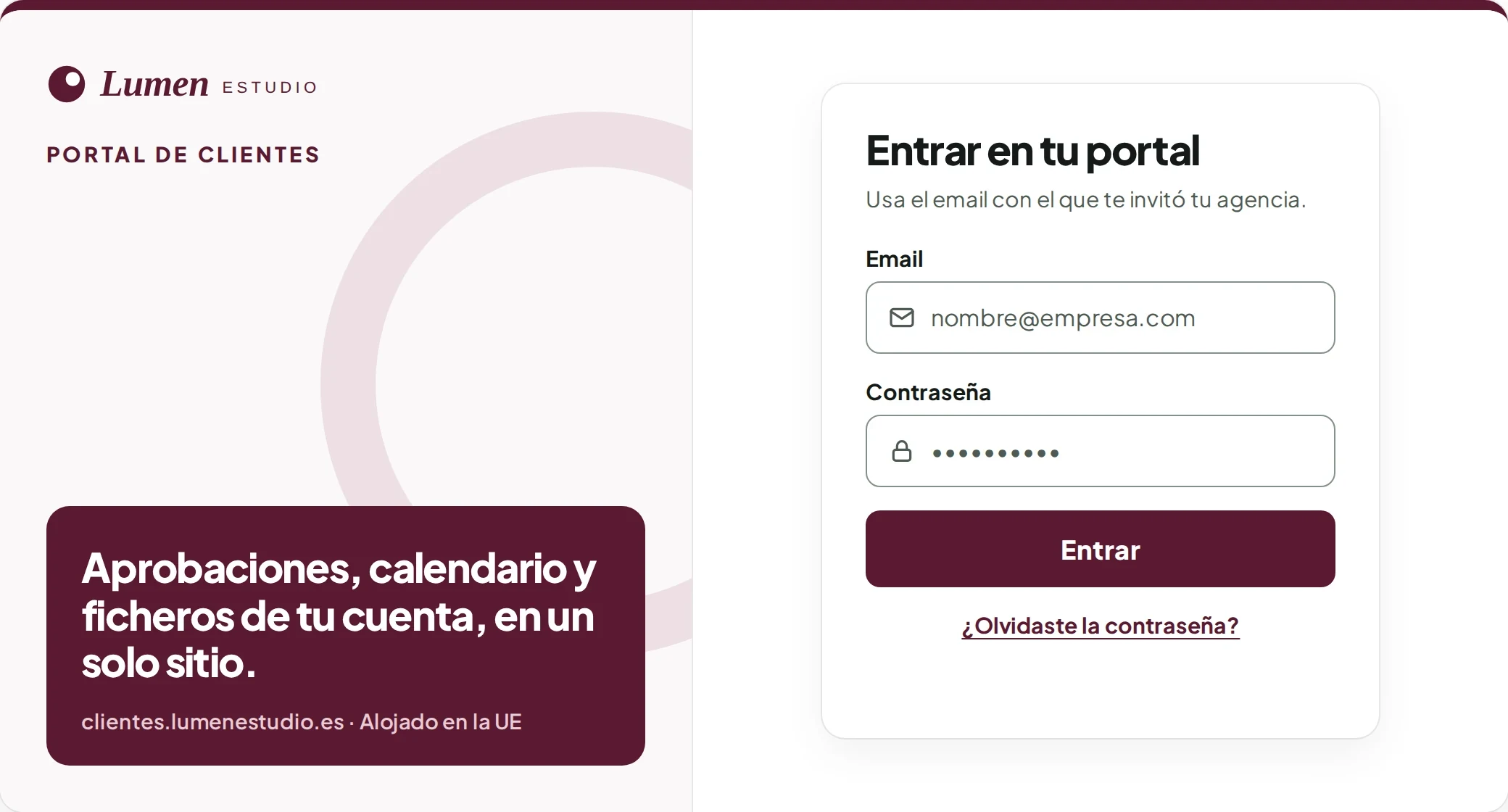
Example with a fictional agency, “Lumen Estudio”, shown in Spanish. Login texts are yours, in your language.
Hosted in the EU, encrypted, with daily backups and an access log.
Your agency has its own server, database and storage. You don't share a database with other agencies.
Servers, database, files and backups in Frankfurt (Germany).
HTTPS with TLS 1.2 or higher, disks and files encrypted at rest, and hashed passwords.
A database backup every day, with tested restores.
Successful, failed and blocked logins are recorded. Resetting a user's password closes all their sessions.
Owner, manager, editor and client, each with their own permissions. Access is by invitation only.
Need a data processing agreement, or have specific security requirements? We'll go through them on the call.
You tell us how you work: clients, team, freelancers and how content gets approved.
We show you the portal with sample data, from the agency's view and from the client's.
We deploy your instance in the EU, on your subdomain, with your logo, colours and sender.
Access is by invitation: you decide who gets in and with which role.
Each agency has its own dedicated instance. We give you a fixed price after the demo, once we know how many clients and people will use it.

No. Each agency has its own instance, so there is no automatic sign-up. We start with a guided demo and, if it's a fit, we set it up for you.
No. Internal conversations on a task are not shown in the client portal; the client only sees what concerns them.
It can happen, especially at the start. Then you or the account manager approve it from the piece itself, and it's recorded with your name and the date, not theirs. Paste their message into the piece's comments and it's clear where that OK came from. Reminders stop as soon as the piece is approved. The next piece reaches them by email again, on your domain, with the two buttons: tapping is less work than typing. What your client will see, and the message to let them know
You invite each of them with their own access to that client's space; they all see the same pieces. Every approval and every change request is recorded with the name of whoever made it and the date, so you can see whether the OK came from marketing or from the boss, and their notes stay on the same piece instead of in three chats. What the portal doesn't do is require two approvals: if one person decides at your client, invite only them, or agree in writing who approves and who gives their opinion beforehand. How to put it in writing: who approves and how many rounds are included
It happens, and the portal doesn't stop it: what it does is make it visible. The approval of that version stays in the history with their name, the date and the version, and it doesn't go away because they ask for something else later. If you decide to make the change, your team sends the piece back with corrections from the piece itself, the new delivery is another version and the round is numbered after the previous ones: you can see it was approved and how many rounds it has taken since. What the portal doesn't decide is whether that round is included in what you agreed or billed separately: it doesn't invoice, and that's settled beforehand. The guide has the rule to put in writing: a typo, yes; the concept or the message, a new piece. What can change after approval, in writing and before the first piece
That's exactly what the portal puts in writing. Each piece records when it was sent for approval and with what deadline, when the client approved or requested changes and who did it, and how long it has spent in each status. The reminders that went out to them are in the email log, with whether they were delivered and opened. And you don't find out at the end: the approvals queue is ordered by due date, the calendar flags the ones past their deadline and, once the three reminders run out, the portal alerts the account manager and you. In the report you see how long each client takes to approve, on average, and every number opens its pieces. What the portal doesn't do is postpone the publication on its own or decide whose delay it was: postponing is a button for the team, and what happens to the date is agreed with the client beforehand. The guide has that rule and what to do when they don't reply. What to do when they don't reply: reminders, escalation and what was agreed
What changes for your team is where they deliver: the piece the client has to approve is created in the portal and the version is uploaded there, instead of being sent by chat or email. That alone gets the client their email and records the approval. The step-by-step workflow and the “My turn” filter are switched on client by client, whenever you want; the overdue notices, only if you turn them on. Each person sees their Drive folders from the Library if they connect their Google account. What there isn't: a sync with another board, or an API. Whatever you keep elsewhere stays there. What your team will see, and the questions they'll ask you
It goes in the same workshop. Tasks that aren't pieces for approval live in the same list or kanban as the rest, with the same statuses from draft to completed and grouped by person, under their own “Other tasks” tab, kept apart from content. Each one hangs from a project of that client, whether retainer, one-off or internal, and the client doesn't see it: their portal only shows the pieces that reach them for approval, their calendar and their files, never the team's tasks, costs or internal conversations. If a campaign includes pieces the client does approve, such as the ads, they follow their workflow just like a reel: there's a suggested workflow template for Ads alongside the one for Content. And for your freelancers, the cost is born with the task whether or not it goes through the client, and becomes payable on completion. What it doesn't do: measure campaign results. It doesn't connect to Meta, Google Ads or Analytics, and its reports are operational: approval times, pipeline and overdue work. What your team sees when they log in: list, kanban and “Other tasks”
Not today. PortaliaFlow focuses on approvals, production, freelancers and the client relationship. It does connect to Google Drive and Google Calendar, per user.
In the European Union (Frankfurt), on an instance dedicated to your agency, encrypted and backed up daily. If you need a data processing agreement, we'll go through it on the call.
English and Spanish. Each user picks their language and receives emails in it.
No. The calendar marks a piece as published when you say so, but it doesn't post to any network. Reports are viewed in the portal and exported to CSV; there is no PDF.
It doesn't invoice your clients, has no native app (it's a mobile-friendly web app), doesn't publish to social media, doesn't connect to Meta or Google Ads, and today has no two-factor or Google sign-in. What it does do, it does at a real agency every day. The full list of what it doesn't do
Another question? The ones about getting started, your client, your team and security are together on every question, on one page.
Ten short questions to prepare a 30-minute demo around what matters to you. A person replies within one business day.
Looking for social publishing, invoicing or two-factor sign-in? First check what it doesn't do (yet).
Prefer email?
info@aceleranova.com